
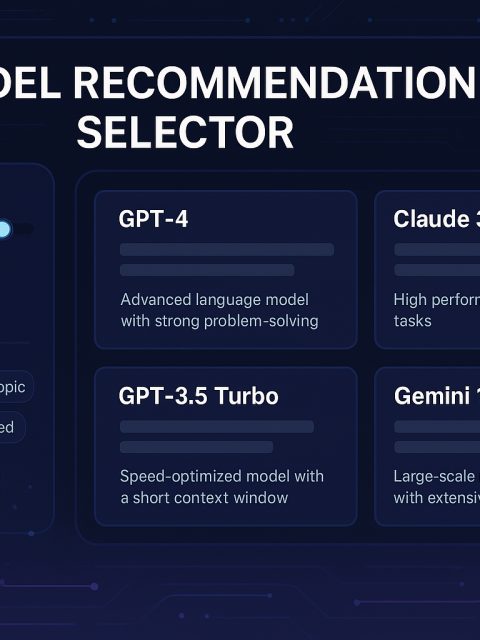
AI Model Recommendation Selector
Adjust workload priorities and filters to get real-time ranked model suggestions.
Priorities & Filters
Set what matters to you most and narrow down the model recommendations with filters.
Recommended Models
Ranked by your custom weights and active filters.
| Model | Score | Accuracy | Context | Latency | Cost | Code/Math | Search | Tags |
|---|
Want To Try Multiple AI Models in 1 Tool?
Use UberCreate – All in 1 AI Tool

Top AI Models
Switch between different AI models in UberCreate depending on your needs
GPT-4.5 – High-accuracy multi-domain reasoning with improved factuality and nuance over prior GPT-4 variants.
GPT-4o – Strong general intelligence with multimodal potential and large-context reasoning; excellent all-around problem solving.
GPT-4 Turbo – Very large context window with faster throughput; ideal for long documents and demanding synthesis.
GPT-4.1 mini – Balanced slice of flagship reasoning in a lower-cost, responsive form; good for interactive tasks needing quality without full overhead.
GPT-4.1 nano – Ultra-lightweight version of GPT-4.1 for very low-latency, cost-sensitive uses while retaining core reasoning.
GPT-3.5 Turbo – Fast, high-throughput natural language generation for general chat and simple reasoning at low cost.
Claude 4 Opus – Sustained multi-step workflows and agentic tasks with massive context handling; excels in complex project-style reasoning.
Claude 3.5 Sonnet – Enterprise-grade balance of speed and intelligence, suited for long-context business workflows.
Claude 3.5 Haiku – Extremely fast lightweight model for snappy responses where immediacy matters.
Claude 2 – Strong conversational understanding with good contextual grasp for moderately complex tasks.
Gemini 1.5 Pro – Very large context capacity with high generalist capability, especially in multimodal and sustained reasoning.
Gemini 2.0 Flash – Fast, versatile multimodal inference optimized for lower-latency applications.
o1 pro – Reinforcement-learned reasoning tailored for technical domains; excels in coding/math with “think-before-answer” behavior.
o3 – Well-rounded proficiency across math, science, coding, and visual reasoning.
o4 mini – Efficient reasoning in a compact form, especially strong for coding and visual tasks with low resource use.
o3 mini – Lightweight generalist for basic reasoning and quick responses under tight resource constraints.
GPT-4o Search Preview – Specialized at interpreting and executing web search-style queries, blending retrieval with synthesis.
Perplexity – Conversational search with real-time evidence synthesis; excels at turning ambiguous queries into clear answers by retrieving and integrating up-to-date web sources.
Perplexity Vision – Multimodal retrieval and explanation; combines image understanding with conversational search to answer questions grounded in visual context, citing supporting evidence.
LLaMA 2 70B – High-capacity open-source reasoning with strong performance on long-context and general understanding tasks.
LLaMA 2 13B – Good quality open-source generalist with a favorable compute/accuracy trade-off.
LLaMA 2 7B – Extremely efficient open-source model for lightweight deployments with reasonable language ability.
CodeLlama – Code-generation specialist with strong understanding of programming languages and developer intent.
StarCoder – Open-source model optimized for code completion and generation across a variety of languages.
Falcon 40B – High-performing open-source generalist with a good mix of context handling and generation quality.
Falcon 7B – Efficient open-source model for constrained environments needing decent natural language capability.
Mistral 7B – Compact yet capable open-source generalist; strong throughput-to-quality ratio.
Mixtral (Mistral Mix) – Enhanced mixture-style variant for higher accuracy while remaining efficient; good general reasoning.
MPT-7B – Modular open model balancing flexibility and performance for a variety of tasks.
Aleph Alpha Luminous – Strong European-developed model focused on reasoning and multilingual understanding.
Cohere Command – Instruction-following generation with emphasis on controllable, high-coherence outputs for applications.
RedPajama – Open reproduction of large model capabilities; good as a community baseline and research experimentation.
OpenAssistant – Open conversational assistant platform model tuned for helpful dialogue and task-oriented interactions.

FAQ
AI Model Recommendation Selector
1. What does this AI Model Selector tool do?
It helps you choose the best AI model for a given task by letting you weight priorities (accuracy, context length, latency, cost, code/math ability, search capability) and filter by model types (open-source, commercial, code-specialized, high-context). It then ranks models based on your configuration.
2. How are model scores calculated?
Each model has normalized attribute scores (0–10 scaled to 0–1). The tool computes a weighted sum of those attributes using your slider values to produce a composite score; higher is better.
3. Do I need a backend or account to use it?
No. It’s fully client-side and standalone. All logic runs in your browser—no authentication or server dependency.
4. What do the filters do?
Filters narrow the visible model set:
Open-source: Community/publicly available models (e.g., LLaMA, Falcon).
Commercial: API/service models (e.g., GPT, Claude, Gemini).
Code-specialized: Models optimized for programming or technical reasoning.
High-context: Models designed to handle long documents or sustained workflows.
You can combine filters to intersect criteria.
5. Are my settings saved?
Yes. Your slider weights and active filters persist in localStorage, so the configuration survives page reloads on the same browser.
6. Can I export or share my configuration?
You can copy the current configuration (weights + filters) to the clipboard using the “Copy Configuration” button and paste it elsewhere.
7. What do the individual metrics mean?
Accuracy: General reasoning / answer quality.
Context: Ability to handle large or complex inputs.
Latency: Responsiveness (lower perceived delay).
Cost: Relative operational expense (lower is cheaper).
Code/Math: Strength on programming, technical, or quantitative tasks.
Search: Aptitude for retrieval-style or web-informed tasks.
8. Why doesn’t total weight have to sum to 100%?
The tool uses relative weighting. You can scale emphasis arbitrarily—e.g., doubling all weights leaves rankings unchanged, but emphasizing one dimension over others shifts recommendations.
9. Can I add or customize models?
Yes. Models are pulled from various sources automatically. Suggest any model you want to add to the comparison here: ASK
10. How should I choose weights for my use case?
Start by identifying your primary need: e.g., for code generation, raise Code/Math and Accuracy; for fast interactive UIs, boost Latency and reduce Cost; for document summarization, emphasize Context and Accuracy. Then tweak and observe which models rise.
11. What are the limitations?
Attribute scores are illustrative; for production, you should calibrate them with empirical benchmarks.
No live model execution—this only recommends which model to call. Actual integration requires using the model’s API or using ready-to-use no-code AI Tools like UberCreate.
Filters are simple tag intersections; more advanced taxonomy (e.g., multi-label weighting) would need extension.
12. Is any data sent to a server?
No. All computation and storage are local to your browser. Nothing is transmitted unless you manually copy/share the configuration.
13. Can I use this for automated model routing?
Yes. You can embed the logic client-side or extract the scoring function to a backend to programmatically route tasks based on their inferred weight profile.
14. How do I reset everything?
Click “Reset to Default” to restore the original slider weights and clear all filters.
15. Can I extend with new features?
No, but you can request to add new features to the tool via Contact Us.